
Download Mullvad Browser Extension – free VPN status tool, secure browsing, lightweight add‑on
Overview
The Mullvad Browser Extension is a compact, free‑to‑download add‑on that gives you instant insight into the health of your Mullvad VPN connection right from your web browser. While Mullvad VPN itself is a paid service, the extension acts as a convenient dashboard that tells you whether you are properly connected, which IP address you present to the internet, and whether any leaks (WebRTC, DNS, or IP) are occurring. Its lightweight design ensures that it occupies only a tiny fraction of your browser’s memory, keeping performance smooth even on older machines.
Because it lives inside the browser, you can verify the status of your VPN without opening the full desktop client, making it perfect for quick checks while you’re browsing, streaming, or working on a public Wi‑Fi hotspot. The extension also includes a one‑click shortcut to switch between available Mullvad proxy servers, helping you change exit nodes without leaving the current tab. Although it is currently in a beta stage, the Mullvad team actively gathers user feedback to iron out any quirks, so you can expect regular updates that improve stability and add new features.
In short, this browser add‑on is a practical companion for anyone who already subscribes to Mullvad VPN and wants a fast, secure way to monitor their connection without the overhead of a full client.
Key Features
- Real‑time connection status: Instantly see if your Mullvad VPN tunnel is active, the current server location, and the assigned IP address.
- Leak detection: Built‑in checks for IP, WebRTC, and DNS leaks ensure your anonymity isn’t compromised.
- One‑click proxy switch: Quickly connect to any Mullvad proxy server directly from the toolbar.
- Lightweight footprint: The extension uses minimal memory and CPU, preserving browser performance.
- Beta‑ready updates: Regular beta releases bring new diagnostics, UI tweaks, and bug fixes based on community feedback.
- Secure communication: All data exchanged between the extension and Mullvad’s dashboard is encrypted via HTTPS.
- Cross‑browser support: Available for Chromium‑based browsers (Chrome, Edge, Brave) and Firefox.
- Open‑source transparency: The source code is publicly available, allowing independent audits of its security practices.
These features combine to make the Mullvad Browser Extension more than just a status indicator; it becomes a proactive security assistant. The real‑time leak detection is especially valuable because many users assume their VPN is working flawlessly when, in fact, a hidden WebRTC leak can expose their true IP address to malicious scripts. By surfacing that information immediately, the extension empowers users to take corrective action—such as disabling WebRTC in the browser or switching servers—before any privacy breach occurs. The proxy‑switching function also eliminates the need to open the Mullvad desktop client just to change an exit node, streamlining workflow for power users who hop between regions for testing, streaming, or research. Because the add‑on is open source, privacy‑focused users can review the code or even contribute improvements, reinforcing the trust that Mullvad has built around its privacy‑first philosophy.
Installation, Setup & Compatibility
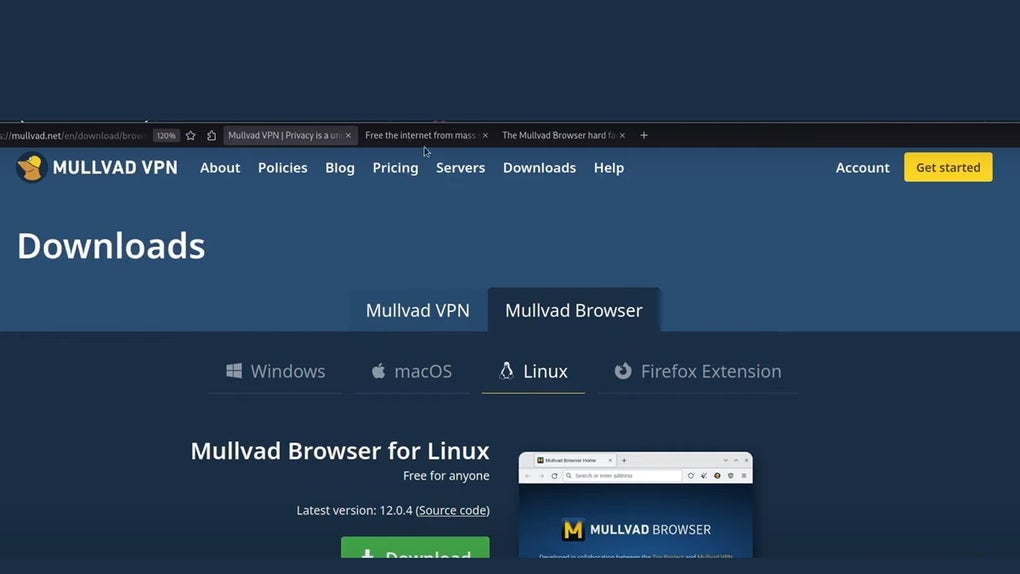
Installing the Mullvad Browser Extension is straightforward. Visit the official Mullvad website or the Chrome Web Store / Firefox Add‑ons page, click “Add to Chrome” (or “Add to Firefox”), and confirm the permissions request. The extension requires only read/write access to your browser tabs and the ability to communicate with Mullvad’s API over HTTPS—permissions that are clearly listed during installation.
After the add‑on appears in your toolbar, click the icon to open the dashboard. The first time you open it, you’ll be prompted to enter your Mullvad account number (the eight‑digit identifier you receive when you subscribe). This number is never stored locally; instead, the extension uses it to query the Mullvad service for the current session data, ensuring that no personal credentials are saved on your device.
Operating system compatibility is reflected in the Windows 10/11, macOS 10.15+, Linux (any distribution that supports the chosen browser), Android (via Chrome or Firefox mobile), and iOS (Safari is not supported; use Chrome or Firefox on iPhone/iPad). Because the extension runs inside the browser, it inherits the browser’s compatibility matrix, making it widely usable across platforms. Users on older operating systems should ensure they are running a recent version of their browser to avoid security vulnerabilities.
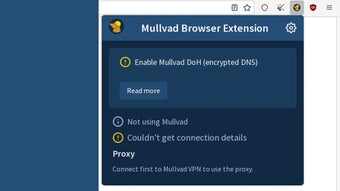
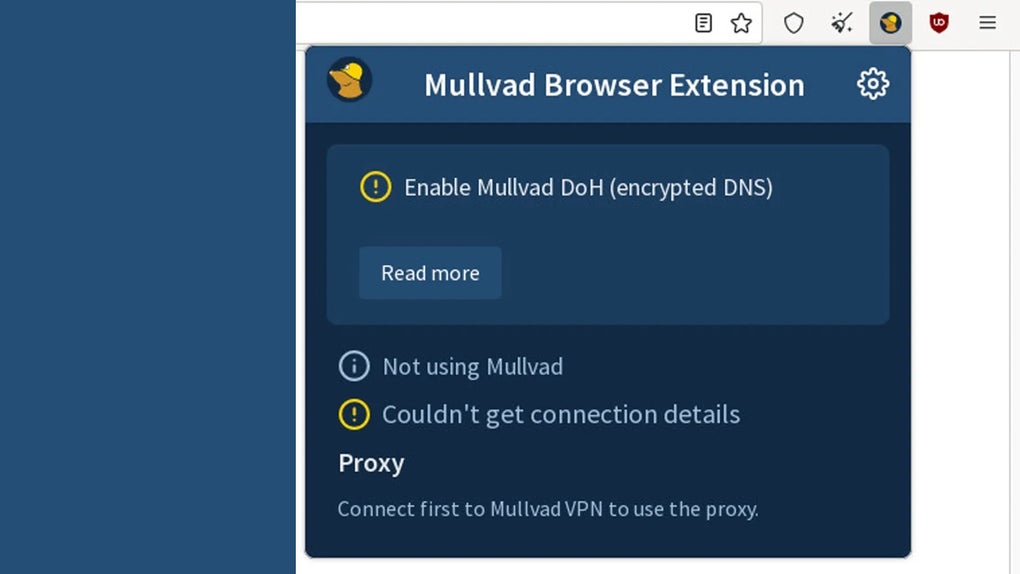
Initial configuration steps: After entering your account number, the extension automatically pulls the current VPN status. If you are not connected, it will display a “Not connected” message and provide a button that opens the Mullvad desktop client (or mobile app) so you can establish a tunnel. Once connected, the toolbar icon turns green, and the dropdown shows detailed connection data, including server location, IP address, and leak test results. For users who frequently change servers, you can pin favorite proxy locations in the extension’s settings, accessible via the gear icon. The settings page also lets you enable or disable automatic leak checks, adjust the frequency of status refreshes, and opt‑in to beta updates.
Because the extension is still in beta, Mullvad recommends keeping the add‑on updated to the latest version. Updates are pushed automatically through the browser’s extension store, and you’ll see a small badge on the icon when a new version is available. Should you encounter any bugs—such as false‑positive leak reports or UI glitches—Mullvad provides a feedback button that sends anonymized logs directly to their development team, helping accelerate bug resolution. Overall, the installation and setup process takes less than five minutes, even for users new to Mullvad, and the extension’s lightweight nature ensures it doesn’t slow down everyday browsing.
Pros & Cons
Pros
- Instant visibility of VPN connection status without opening the full client.
- Comprehensive leak detection (IP, WebRTC, DNS) built directly into the browser.
- One‑click proxy switching saves time for power users.
- Minimal memory and CPU usage keeps the browser responsive.
- Open‑source code enhances transparency and trust.
- Regular beta updates mean new features are added quickly.
- Cross‑platform support for all major browsers on Windows, macOS, Linux, Android, and iOS.
Cons
- Beta stage may produce occasional bugs or UI inconsistencies.
- Requires an active Mullvad VPN subscription; the extension alone is not a standalone VPN.
- Limited to browsers that support extensions; not available for Safari.
- Leak tests rely on external services; occasional false positives can occur.
- Advanced configuration (e.g., custom DNS) still needs the desktop client.
Frequently Asked Questions
Do I need a Mullvad VPN subscription to use the browser extension?
Yes. The extension only displays status information for an existing Mullvad VPN account. You must have an active subscription and know your eight‑digit account number to connect the add‑on to your VPN session.
Is the Mullvad Browser Extension safe to use on public Wi‑Fi?
Absolutely. The extension itself does not route traffic; it only reports the status of the VPN tunnel that you have already established. All communication between the extension and Mullvad’s API is encrypted via HTTPS, so no additional data is exposed on public networks.
Can the extension detect DNS leaks on all operating systems?
The DNS leak test works wherever the browser can resolve DNS queries, which includes Windows, macOS, Linux, Android, and iOS browsers. However, if your operating system uses a system‑wide DNS configuration that overrides browser settings, the test may show false results; in those cases, adjusting the OS DNS settings is recommended.
How often does the extension refresh the VPN status?
By default, the status refreshes every 30 seconds. Users can change this interval in the settings panel to a range between 10 seconds and 5 minutes, depending on how quickly they need updates.
What should I do if I encounter a bug during the beta phase?
Mullvad provides a built‑in feedback button in the extension’s dropdown menu. Clicking it sends anonymized logs to the development team, who prioritize fixes based on user reports. You can also visit Mullvad’s support forum for community‑driven troubleshooting.
Conclusion & Call to Action
If you already trust Mullvad VPN for its strong privacy guarantees, the Mullvad Browser Extension is a natural companion that adds convenience, transparency, and an extra layer of security directly to your browsing experience. Its lightweight design means you won’t notice any slowdown, and the built‑in leak detection helps you stay confident that your online identity remains hidden. Because the tool is still in beta, occasional hiccups may arise, but Mullvad’s proactive update cycle and open‑source ethos keep improvements coming quickly. Ready to tighten your privacy workflow? Download the Mullvad Browser Extension now, link it to your existing Mullvad account, and enjoy real‑time VPN status at the click of an icon.







